Introduction



*This project was a part of the University of Washington's Human Centered Design and Engineering (HCDE) MS program
" transform="translate(17.5 3.5)" width="1239.5px"/></svg>)
THE QUESTION
How might we create a product that prioritizes safety and community, while making eco-friendly transportation more appealing to Seattle commuters?
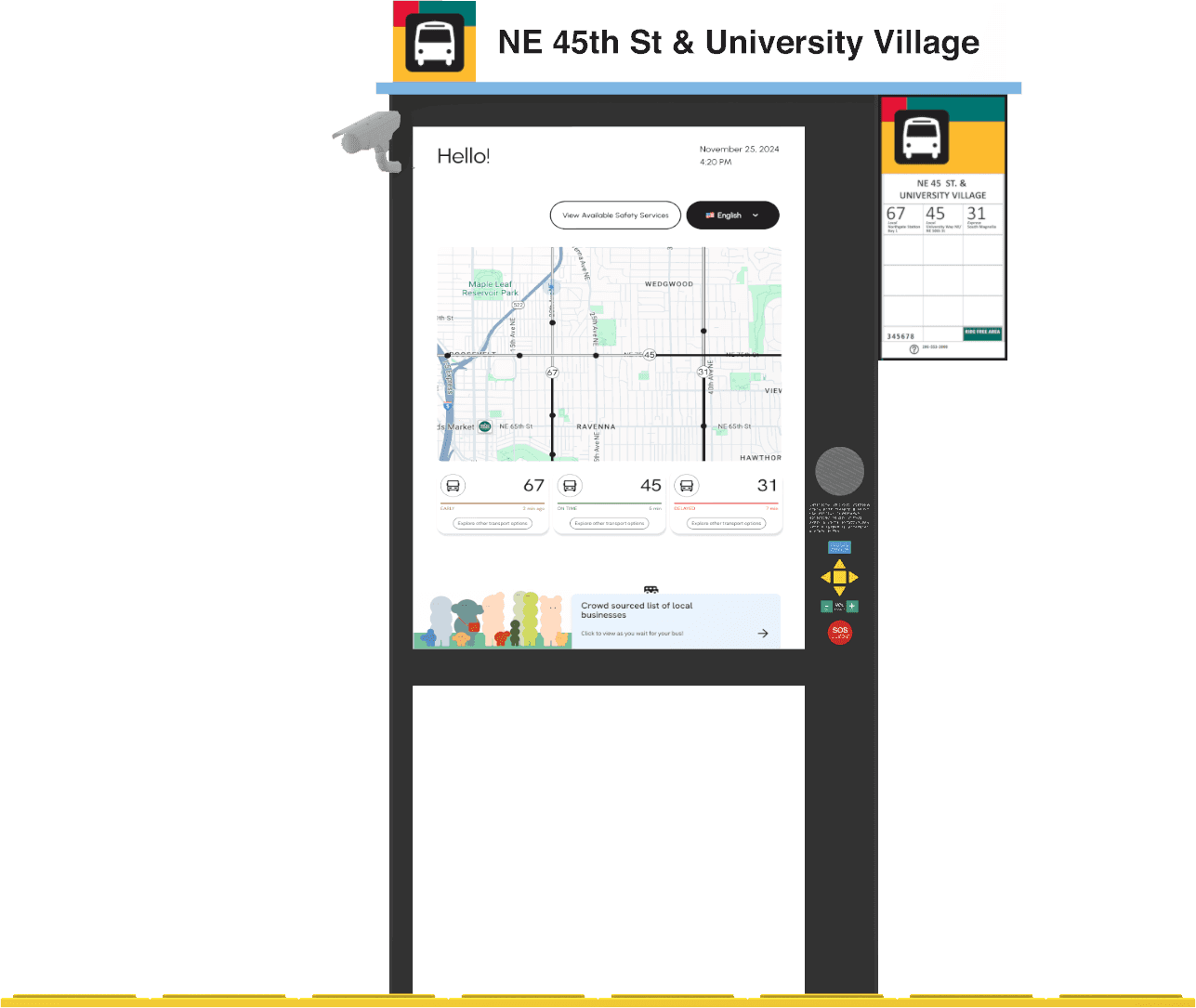
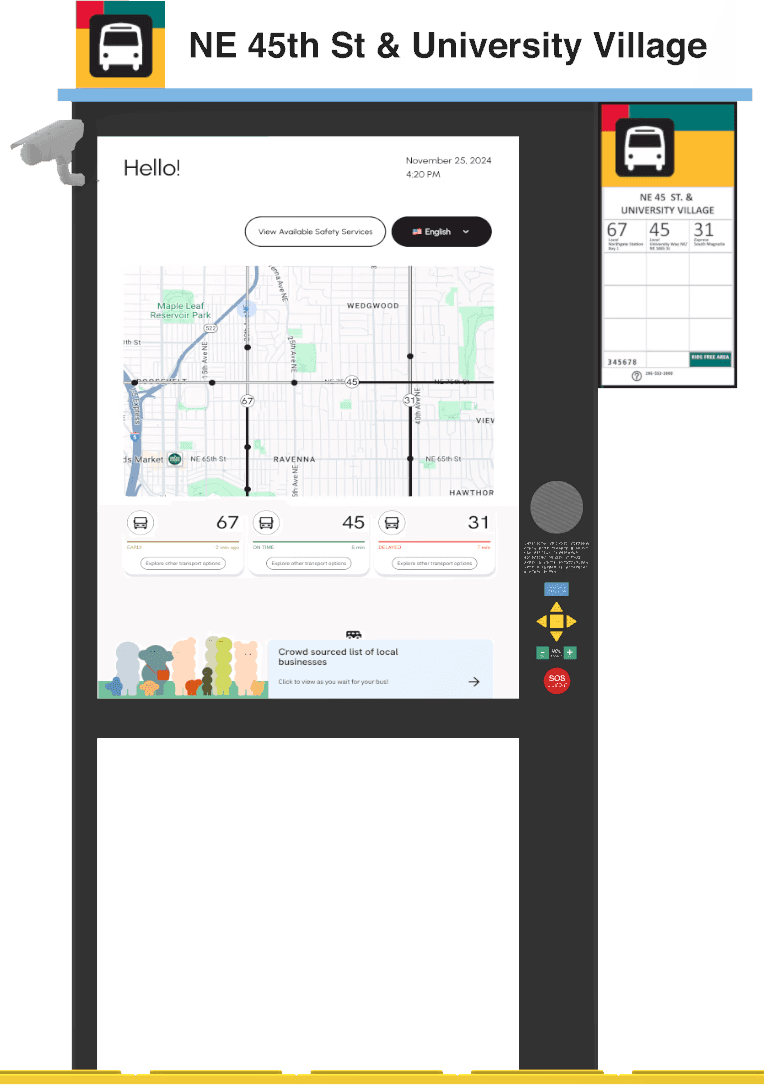
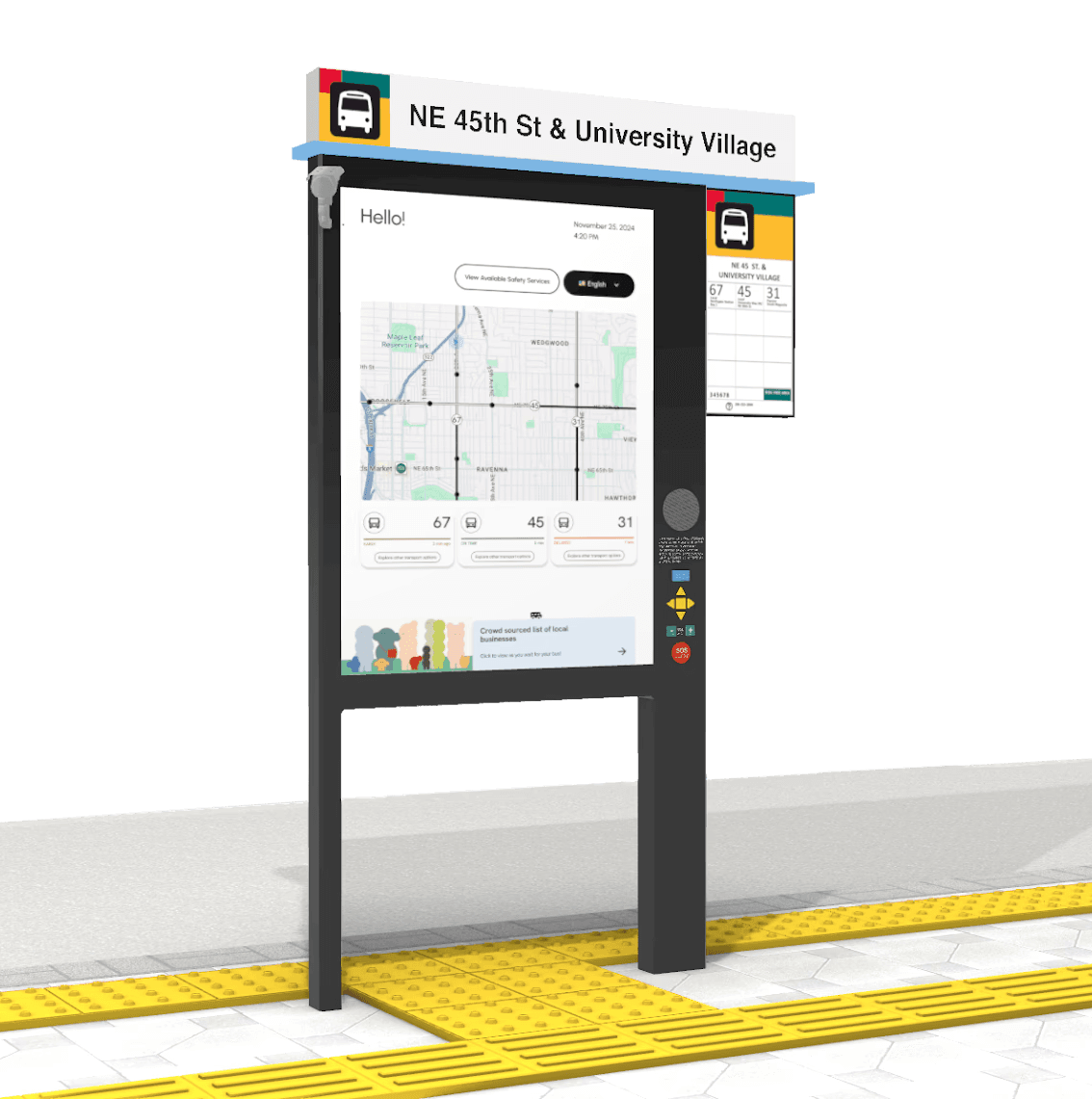
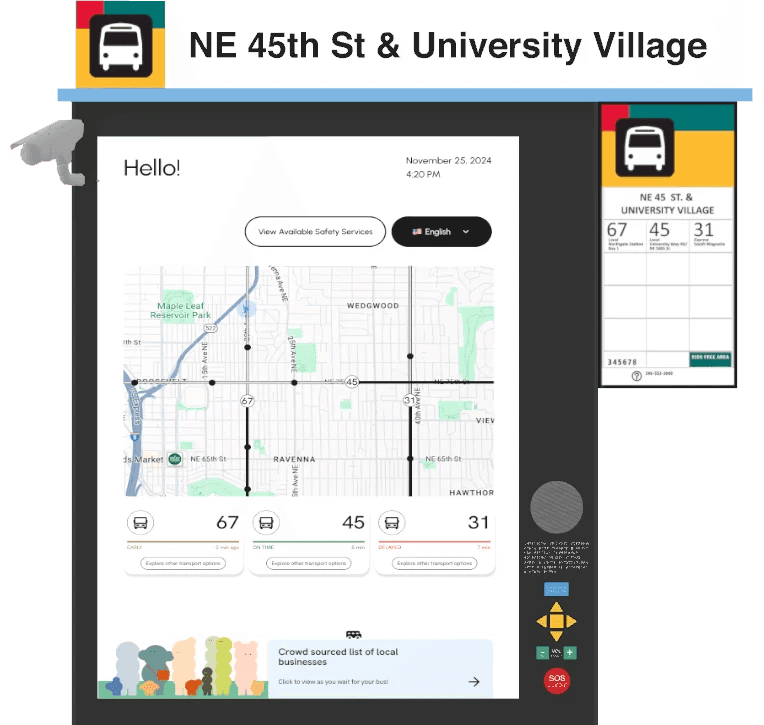
EcoMotion is an interactive bus stop kiosk that provides the user with important information related to their commute. With real-time bus tracking, alternative route suggestions, safety services, and crowd-sourced local recommendations, users can spend time exploring the kiosk while they wait for their bus to arrive. By transforming a key part of the bus riding experience, users can feel more encouraged to choose more eco-friendly means of transportation for their regular commute.


KEY INSIGHTS
FASTER TRAVEL TIME & BUS RELIABILITY
Users feel frustrated from bus delays, long waits at transfer stops, and inaccurate bus schedules on map applications, which leads them to seek alternative modes of transportation.
SAFETY
Users tend to avoid commuting by bus at night, especially by themselves, due to concerns over their safety.
FLEXIBILITY
Users choose driving over public transit when they need schedule flexibility or must make multiple stops, as complex bus transfers complicate errand-running.
We conducted a combination of user surveys, interviews, and experience sampling with a focus on commuters aged 21 to 40 living in the Seattle metropolitan area — the demographic with the highest rate of single-occupancy vehicle use.
DESIGN PRINCIPLES
Hover me!
#1 ENHANCE USER ENGAGEMENT
Create interactive and engaging elements at the bus stop to improve the waiting experience and keep users occupied while they wait.
#2 IMPROVE COMMUNICATION & INFORMATION
Ensure real-time updates, bus schedules, and important announcements are clearly communicated to users for better planning and awareness.
#3 PRIORITIZE SAFETY & ACCESSIBILITY
Incorporate features that enhance security and accessibility, while also ensuring seamless connection with safety authorities to foster a safer and more inclusive environment.
We were given the challenge of designing a solution that was not in the form of a mobile application nor a website. This encouraged us to explore physical solutions, leading to our design of an interactive bus stop kiosk. Our primary goal was to design an experience that would make waiting at the bus stop more enjoyable, while addressing both our users' concerns and accessibility issues.
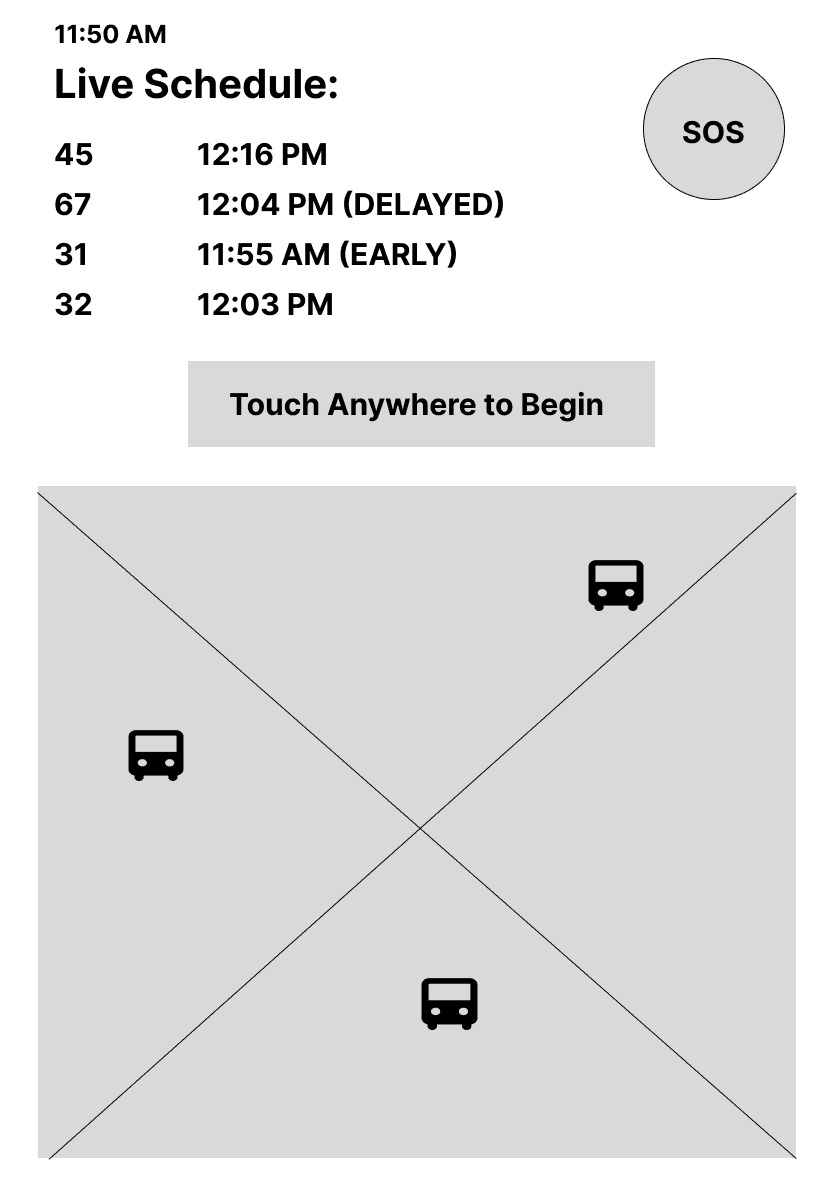
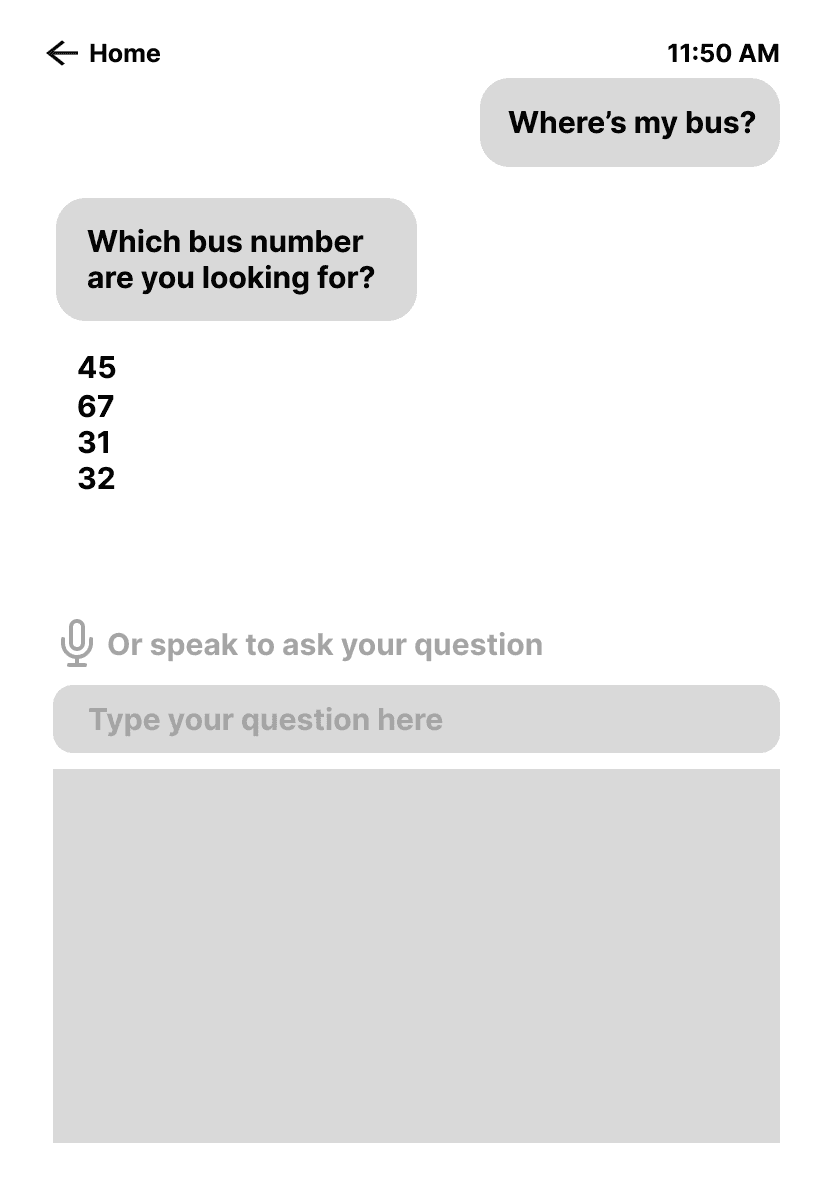
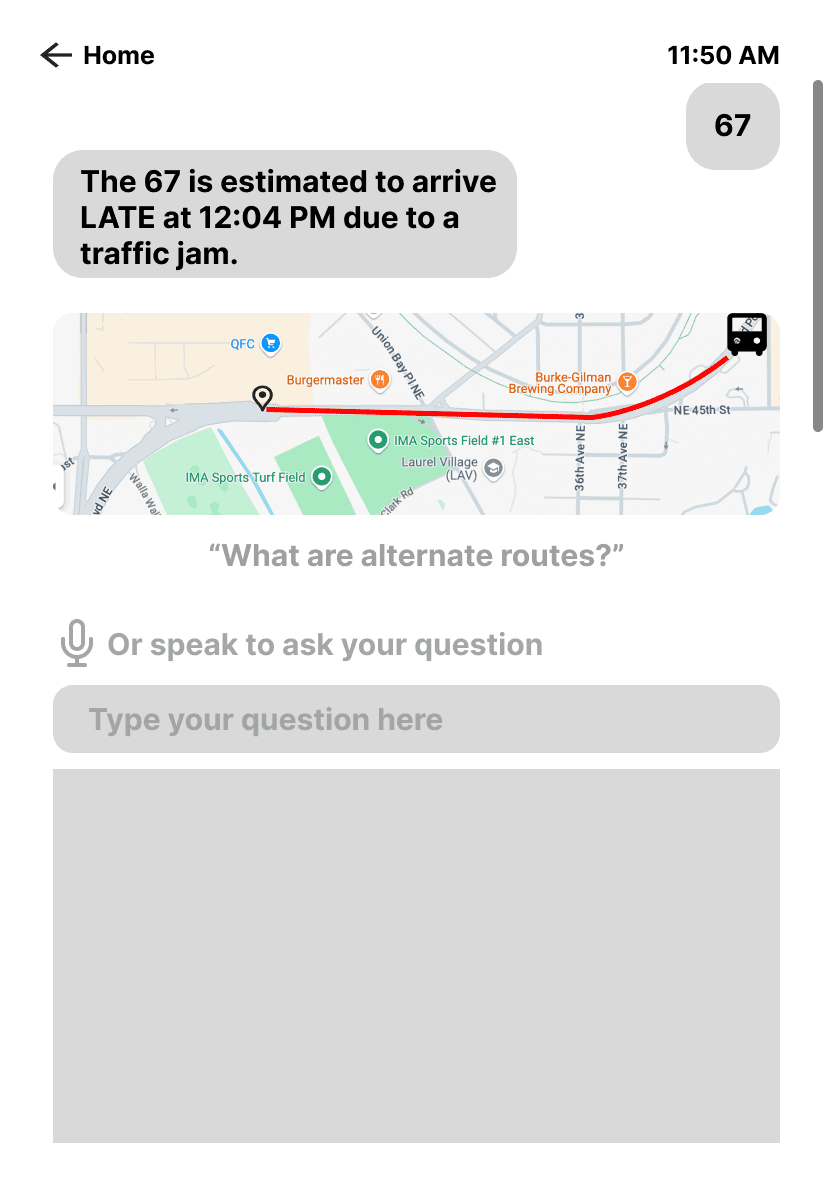
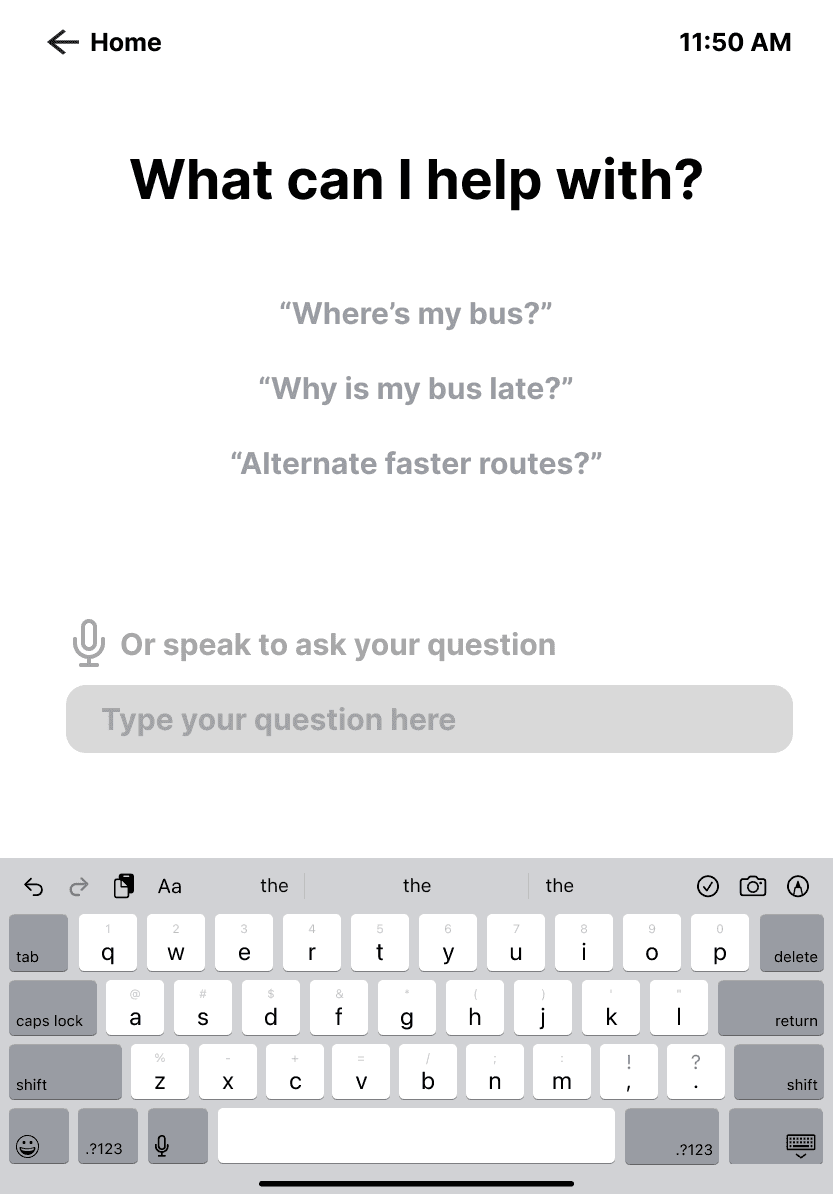
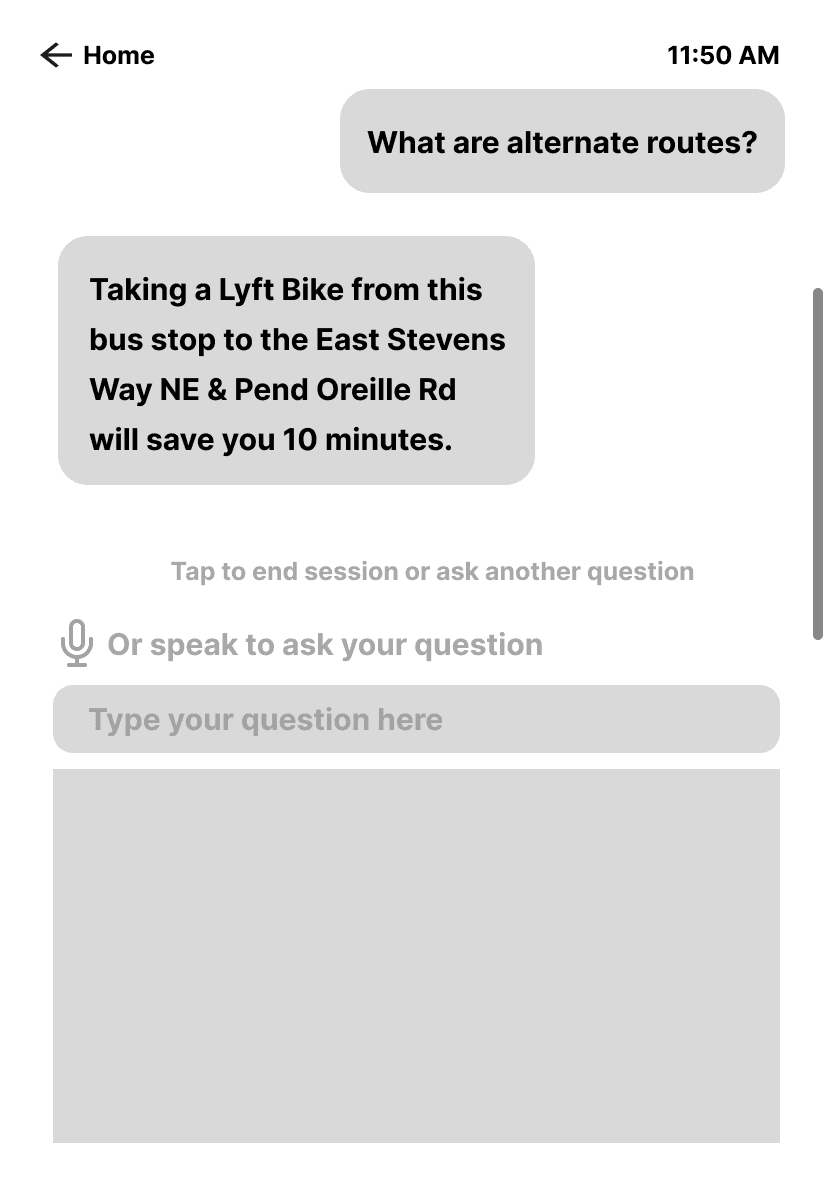
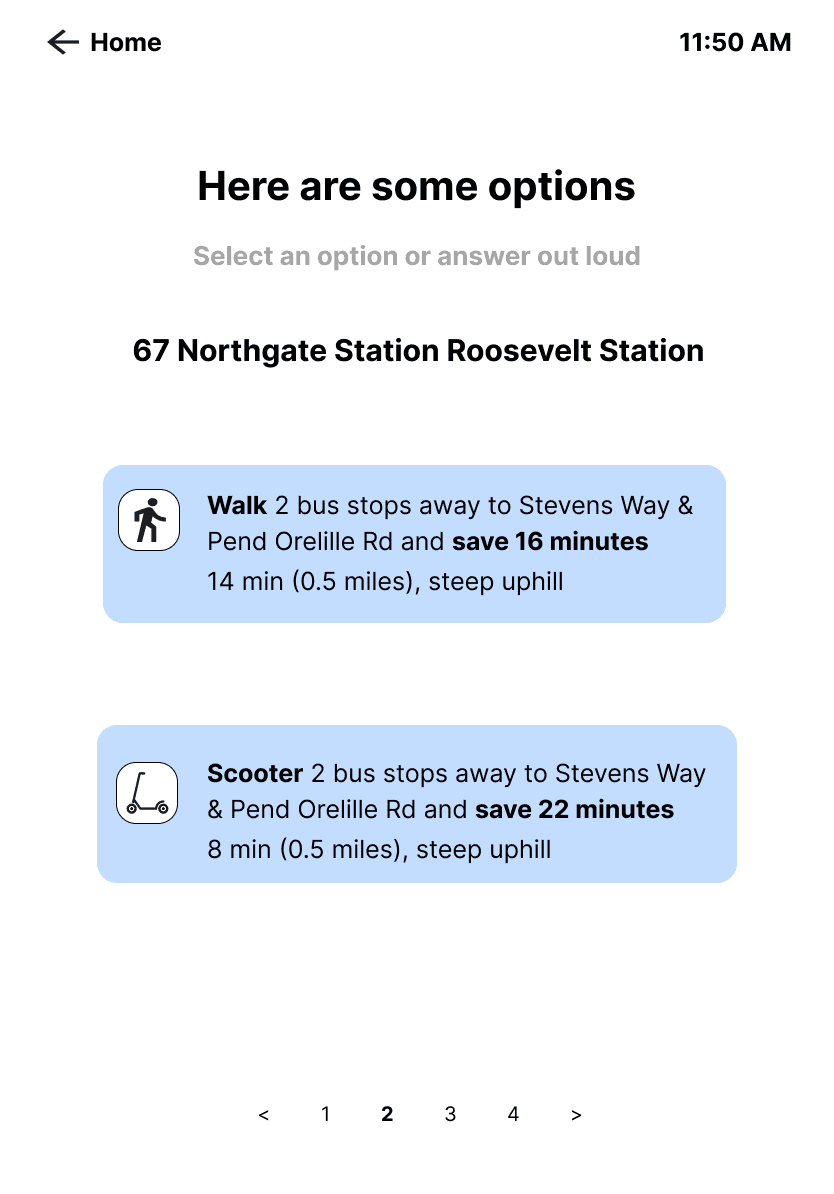
I was responsible for designing a service that would show users alternative modes of transportation to shorten their commute in addition to the home screen. In the original design, we envisioned the kiosk to be an AI assistant where the user inputs a question about the bus schedule, safety resources, routes, and local recommendations and the AI assistant would answer the users' questions or redirects them to the appropriate resources.
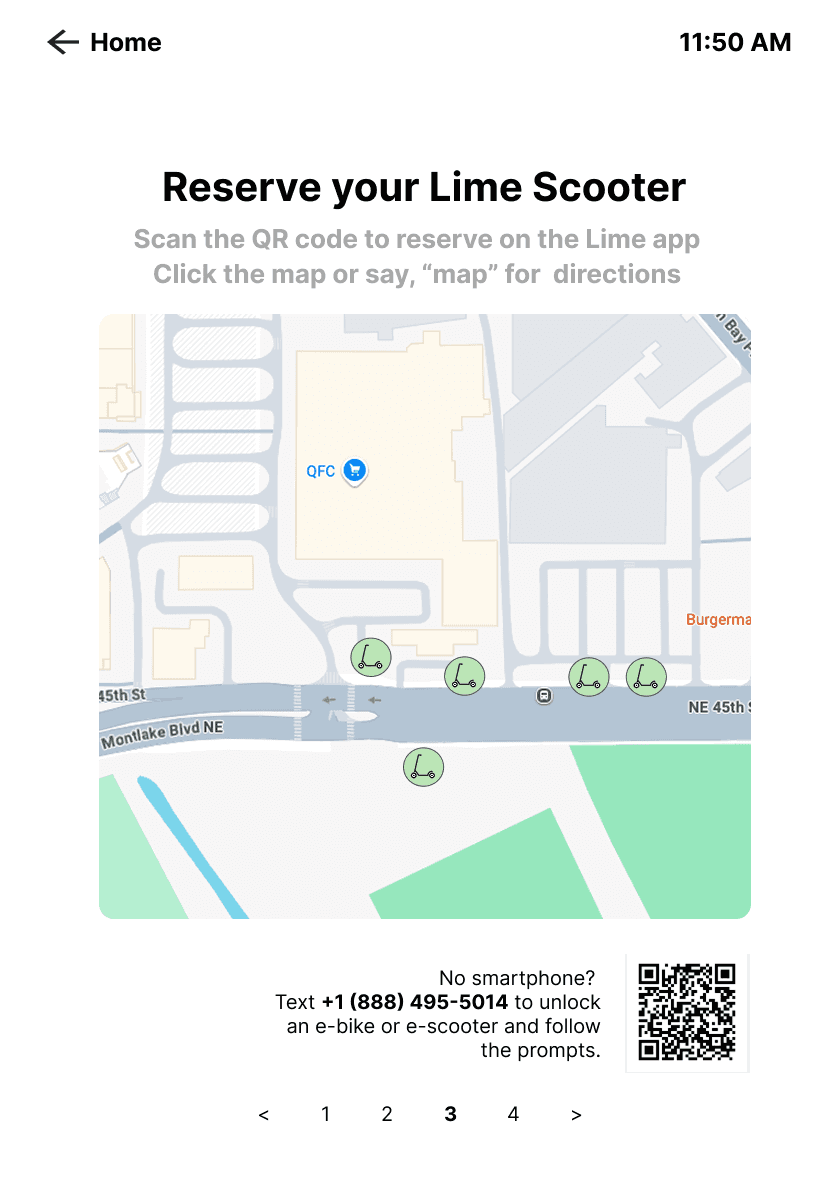
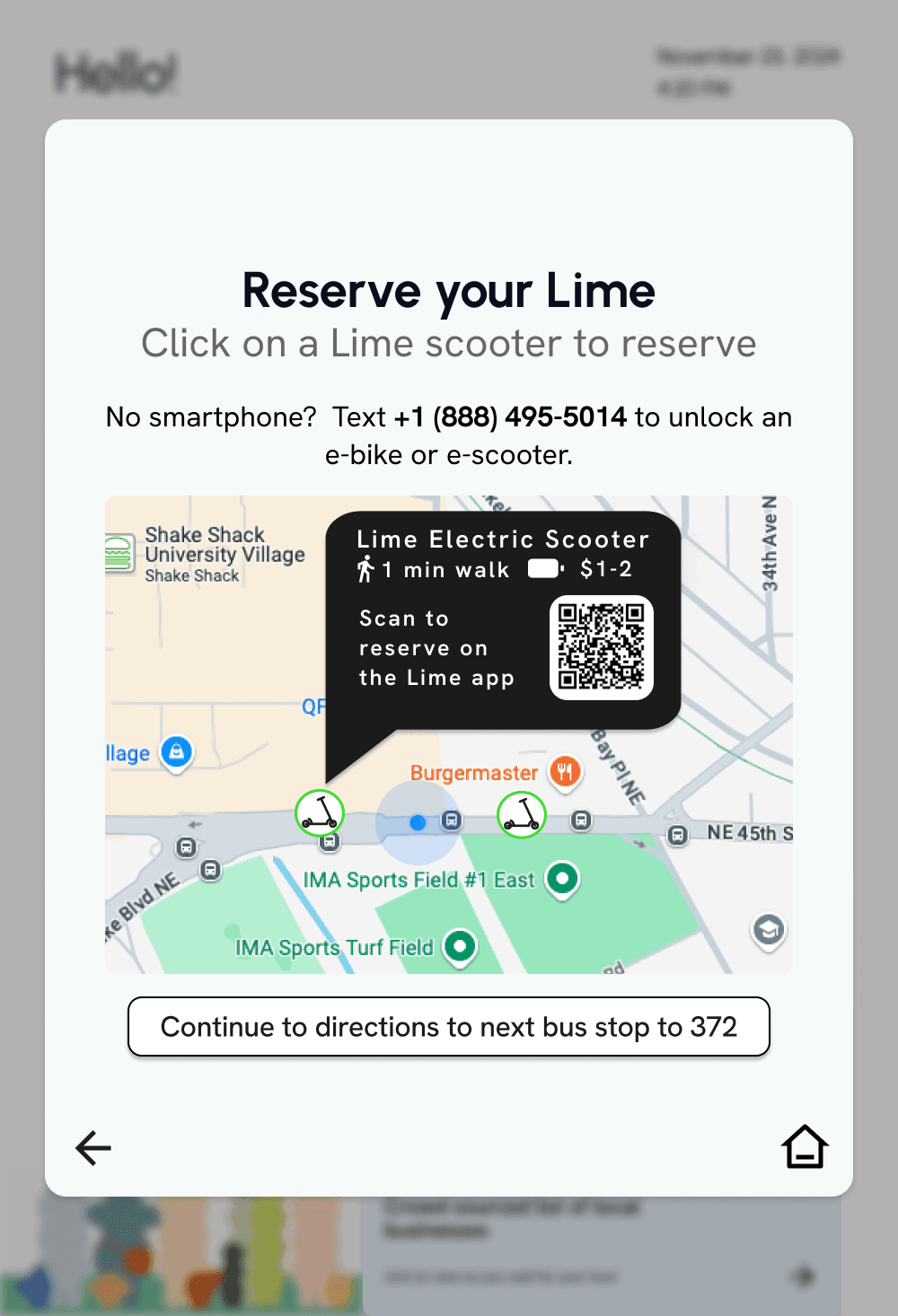
REDESIGNING THE LIME FEATURE TO IMPROVE VISUAL HIERARCHY
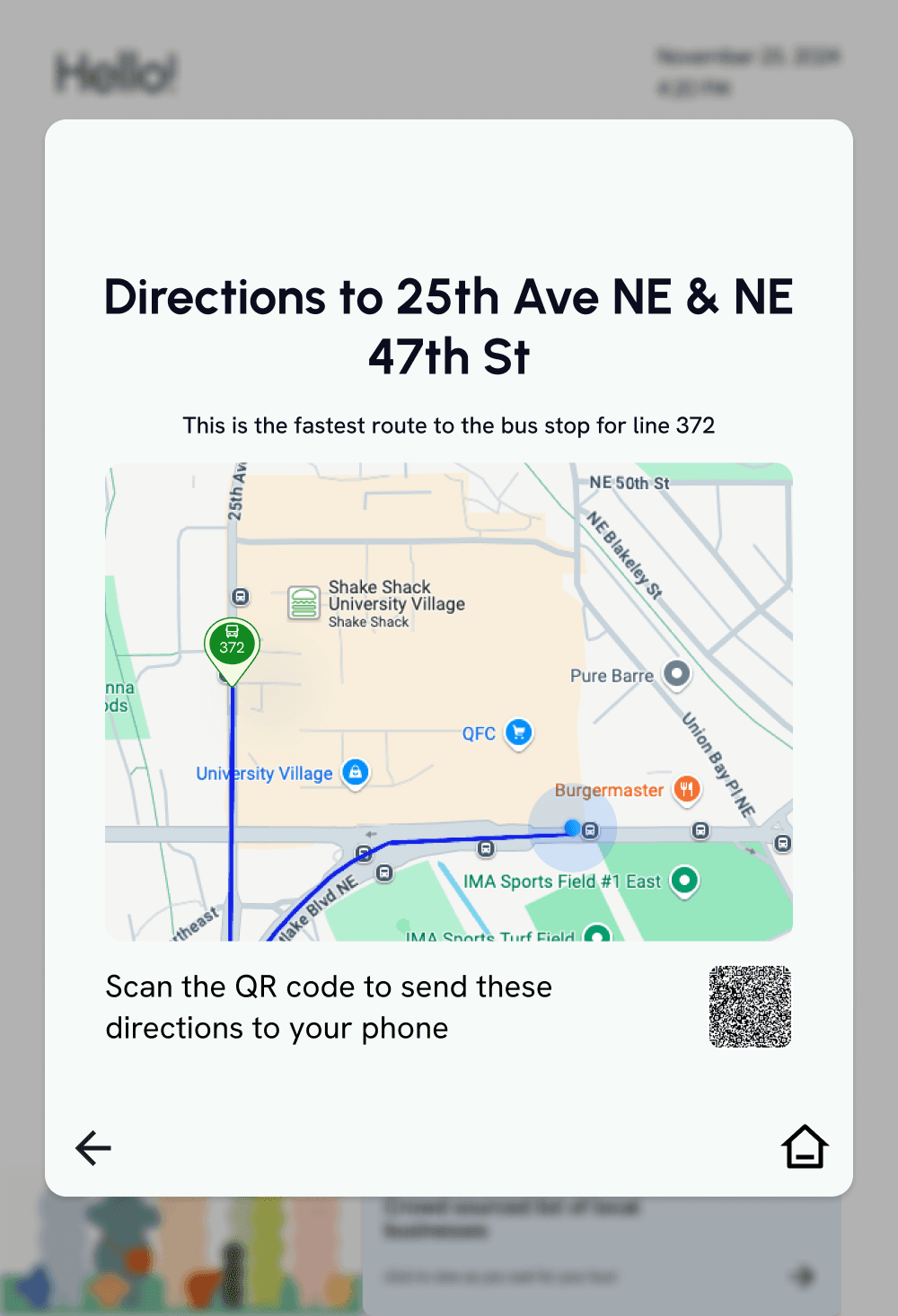
Placing the QR code at the bottom made it difficult for users to notice that feature. To make it more prominent, we highlighted it in a contrasting color and designed it as a pop up so it would be the first thing users see when they choose a Lime scooter.

MID-FI WIREFRAMES
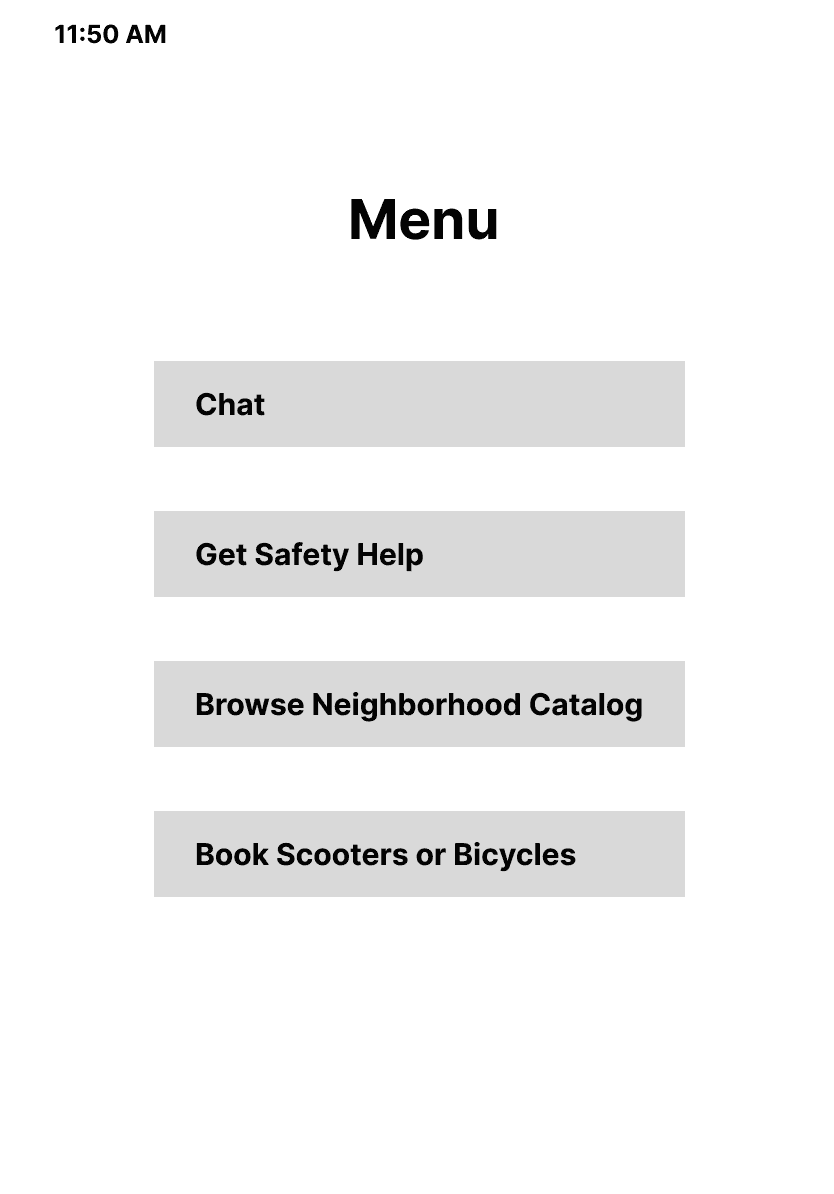
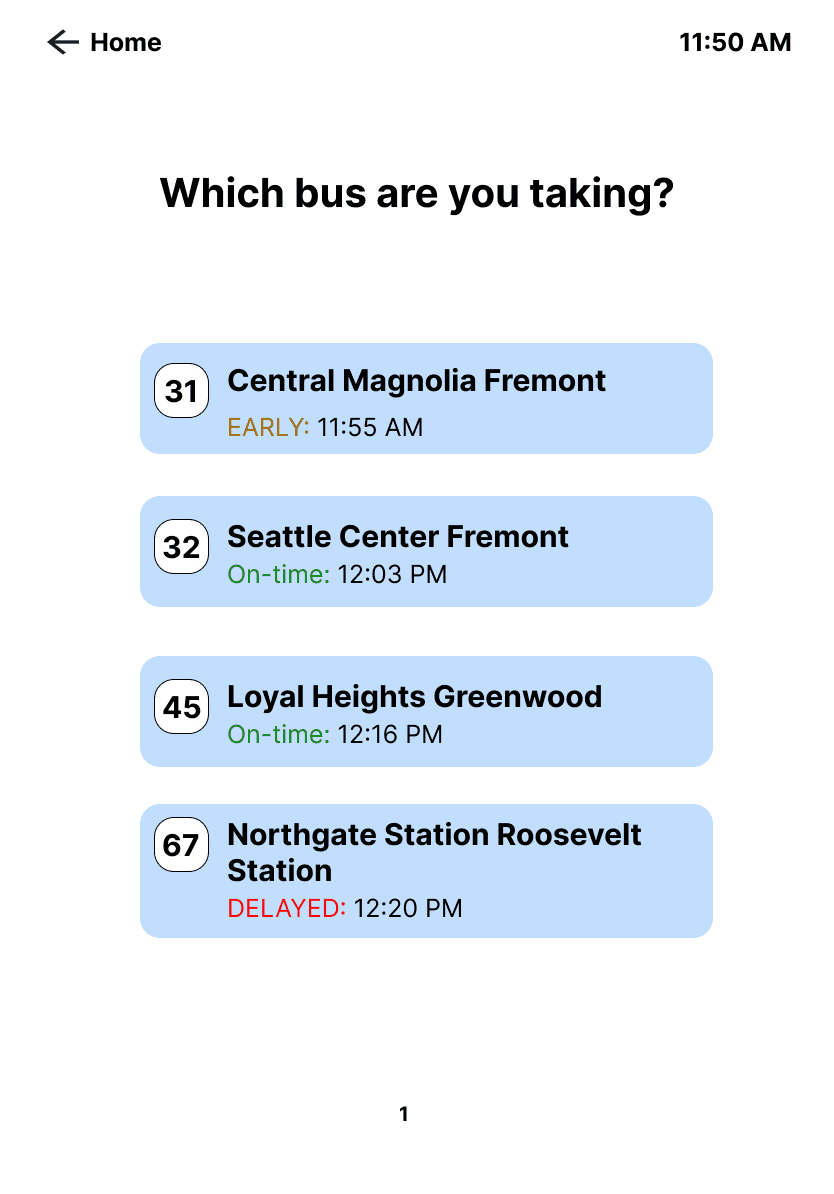
After initial usability tests, we decided against the use of an AI chat as users complained of spending too much time to find simple information and typing on a large kiosk screen would be cumbersome. As a result, we pivoted to include screens and features that required little to no typing from the user to navigate.
ITERATIONS
Further usability tests helped us identify new pain points with the change in our screen designs. Based on these results, we were able to edit our designs to improve accessibility, visual hierarchy, and navigation aspects of the kiosk.
MAKING IT CLEARER TO NAVIGATE BETWEEN PAGES
Having the page navigation at the bottom made it easier for users to miss. The redesign showed new screens as a pop-up, allowing users to return to the home screen by clicking anywhere outside of the pop-up window.

IMPROVING ACCESSIBILITY
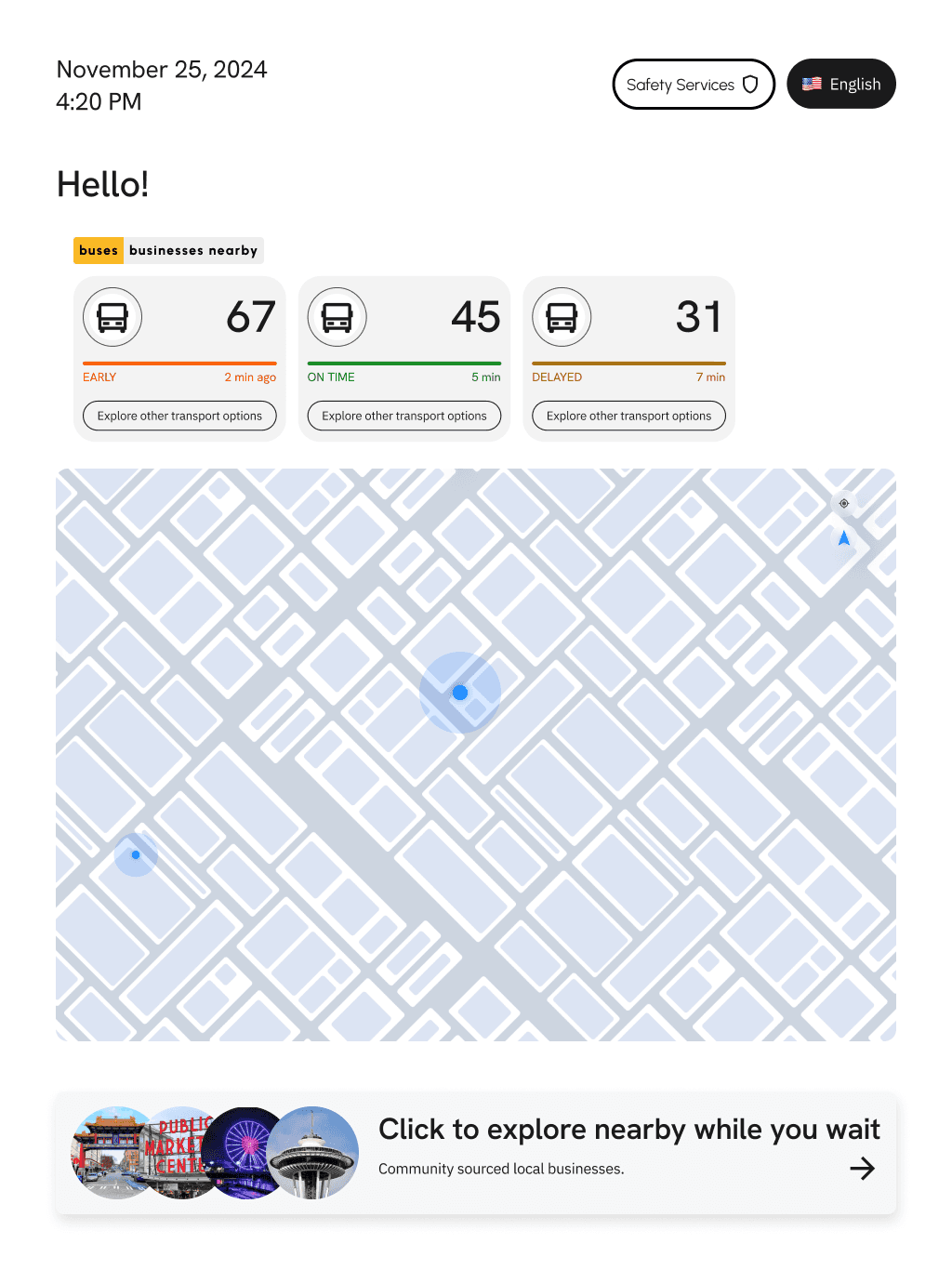
Initial designs placed buttons at the top of the screen, which would be difficult for individuals to reach, introducing a potential accessibility barrier. In our redesign, we were intentional with our button placement, ensuring all important features would be easily accessible on the screen.

RELIABILITY & FLEXIBILITY
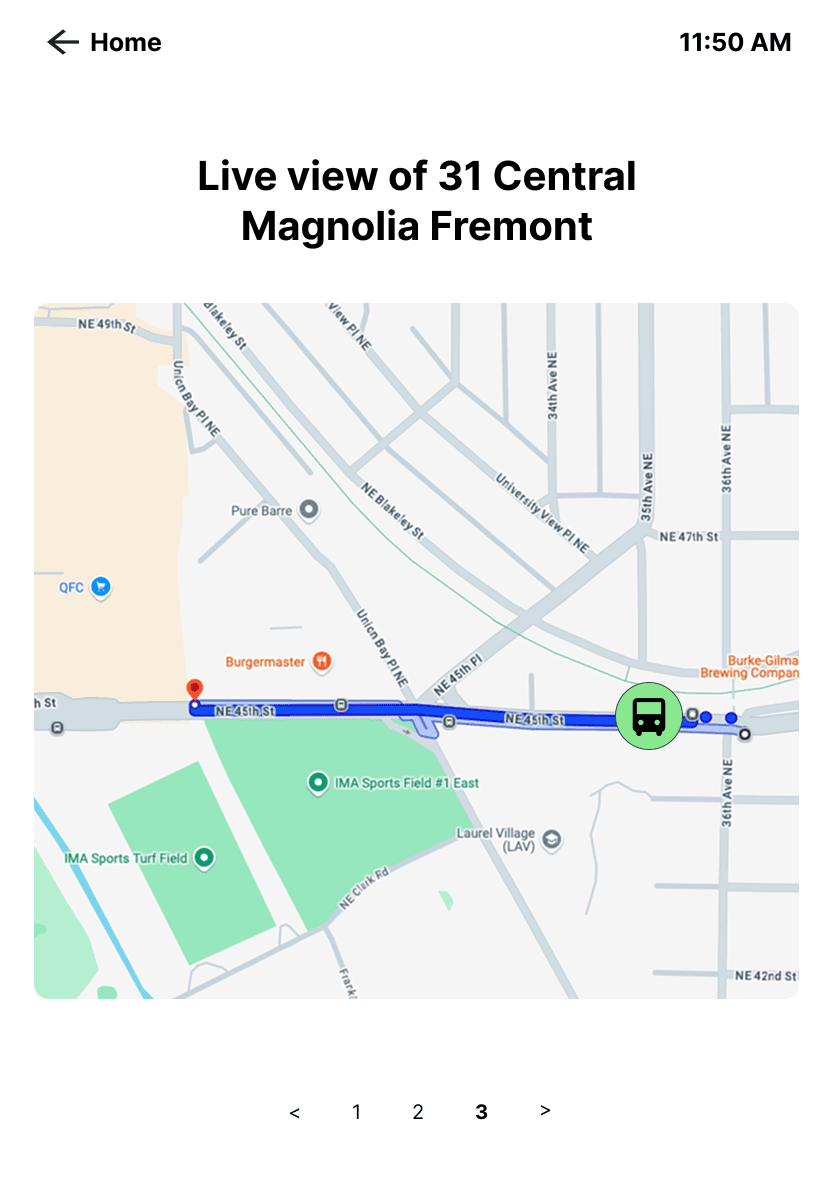
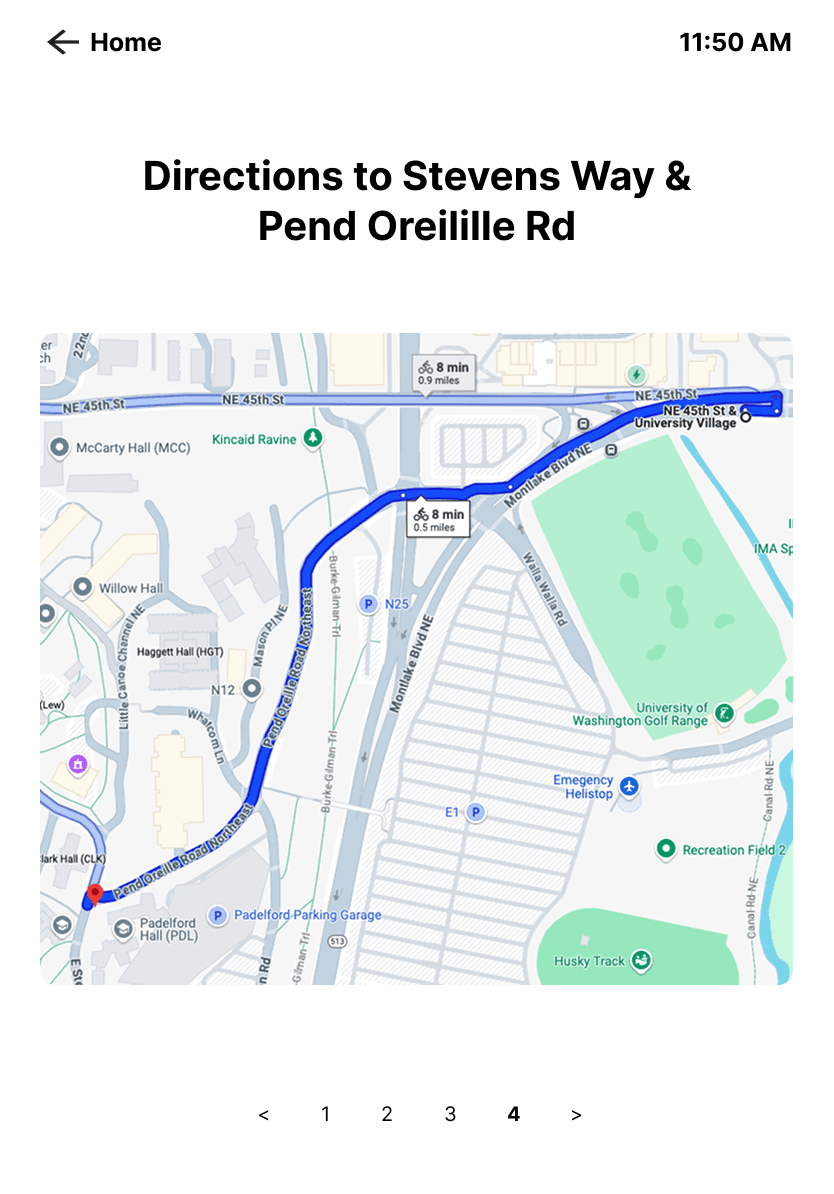
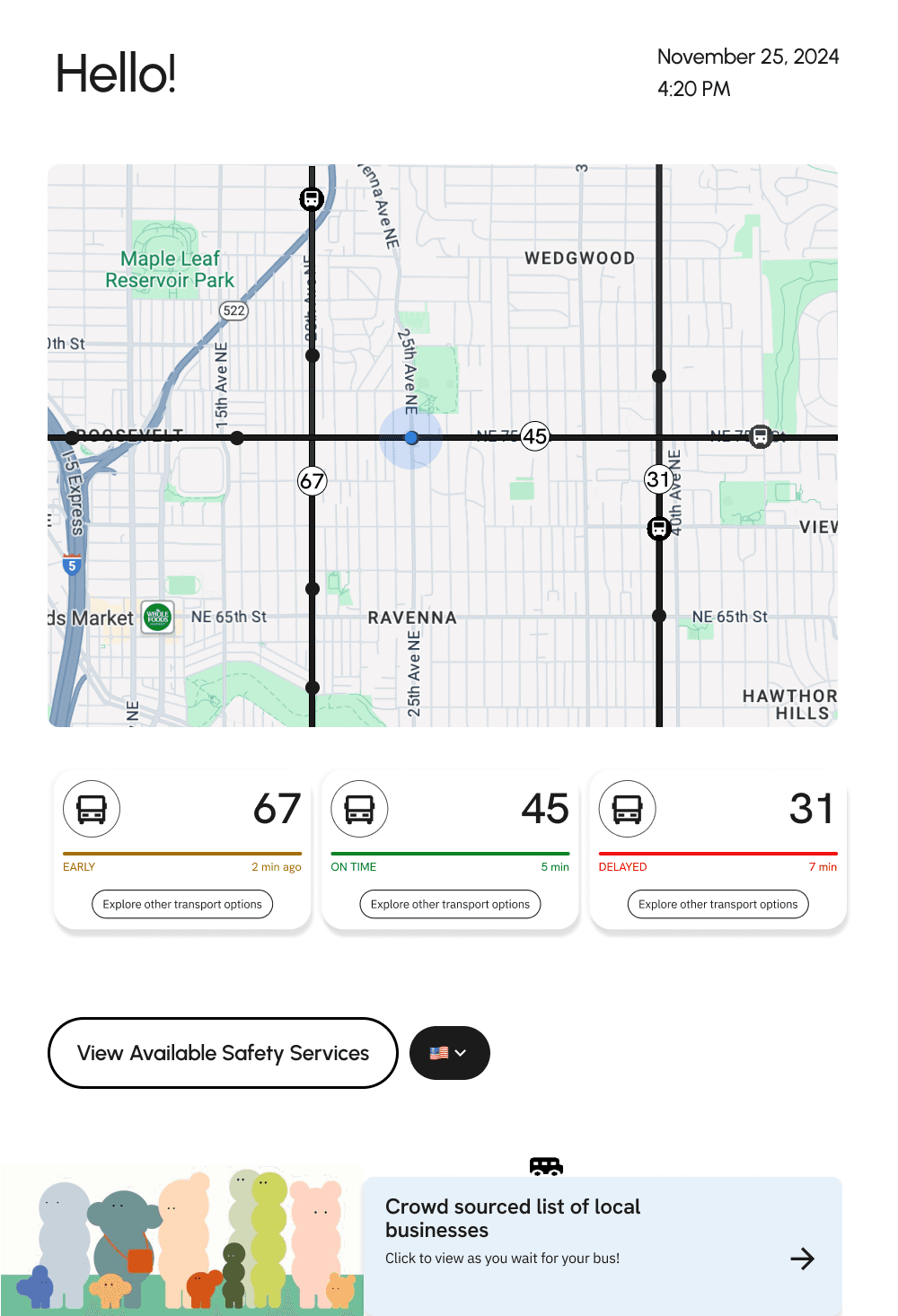
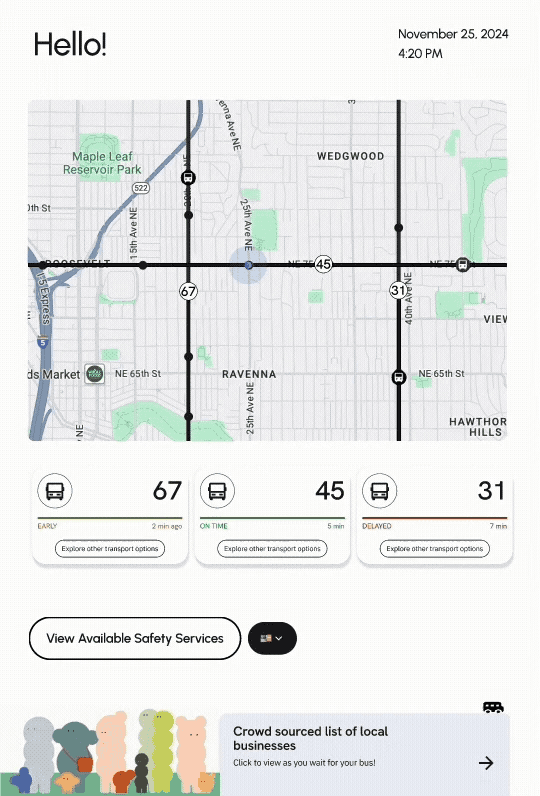
The home screen displays the statuses of buses through live tracking, with the ability to change preferred languages. Users can also check alternate modes of transportation to find a faster route with other means of eco-friendly transportation. A QR code was made available to send the new directions, along with the Lime app, to the user's phone for convenience.
COMMUNITY ENGAGEMENT
The community section allows users to explore local businesses near the bus stop through crowd-sourced recommendations. It serves as an additional activity for users to input their own recommendations and explore recommendations while waiting for their bus to arrive.

SAFETY
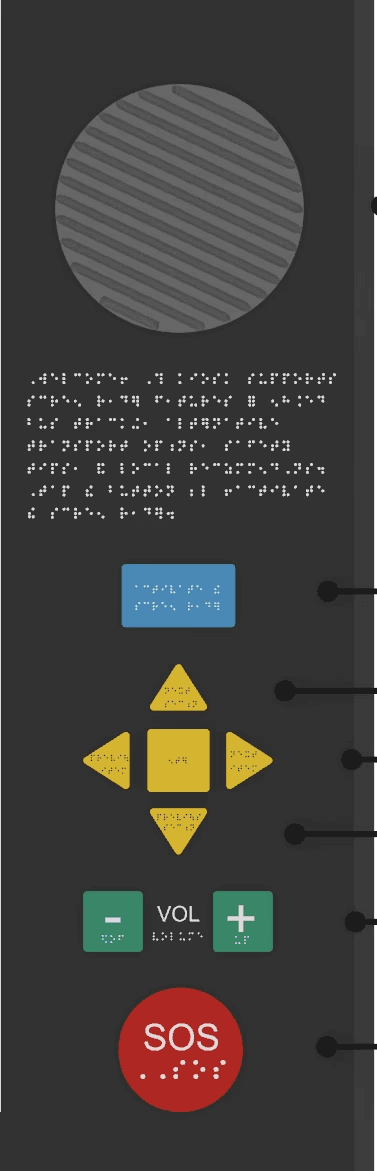
A dedicated safety section allows the user to request assistance at the bus stop by either requesting a security guard to or through an on-call system. In addition to this, there is also an added SOS button that users can use in case of an emergency. Finally, there are security cameras integrated into the kiosk to ensure 24/7 surveillance.
R
TAKEAWAYS
REDESIGNING FOR A PUBLIC SPACE
Users are hesitant about entering private information in public spaces, especially when displayed on a large screen. Instead of requesting sensitive information for directions, like a home address, we provided general information, while offering a seamless transition to their personal device for further customization.
PHYSICAL DESIGN CONSIDERATIONS
Unlike mobile or desktop experiences, a bus stop kiosk introduces new physical constraints, such as its larger screen, that can create new barriers. We designed our screens while considering button placements that would be accessible for users of varying heights and abilities.
DESIGNING AROUND INFRASTRUCTURE LIMITATIONS
This project showed me that designing for public systems means working within constraints you can't control. We couldn't fix traffic delays or mechanical breakdowns, but we could transform how users experienced them. By providing transparent communication, alternative routes, safety services, and engaging wait-time content, we turned systemic problems into opportunities for better user support.